AD
You’ve spent hours in the studio, perfected the mix, and finally hit “export.” You’re ready to share your sound with the world—and with us here at Our Town Radio. But before you hit that “send” button on your email or submission form, there is one invisible detail that can make or break your chances of getting airplay: Metadata.
At Our Town Radio, we love discovering local talent. However, receiving files labeled Final_Mix_V2_Master.mp3 makes it incredibly difficult for us to champion your music.
Here is why proper meta tags are a game-changer for both you and our station.
What are Meta Tags?
Meta tags (or ID3 tags) are the digital labels embedded within your audio file. They tell media players and broadcasting software exactly what they are playing. Without them, your song shows up as “Unknown Artist” or “Track 01.”
Why It Matters to Our Town Radio
When you submit music without tags, our team has to manually research and type in your details. This takes time away from us actually listening to new music and curating shows.
If your track isn’t tagged, it often gets pushed to the back of the line.
The “Must-Have” Tags
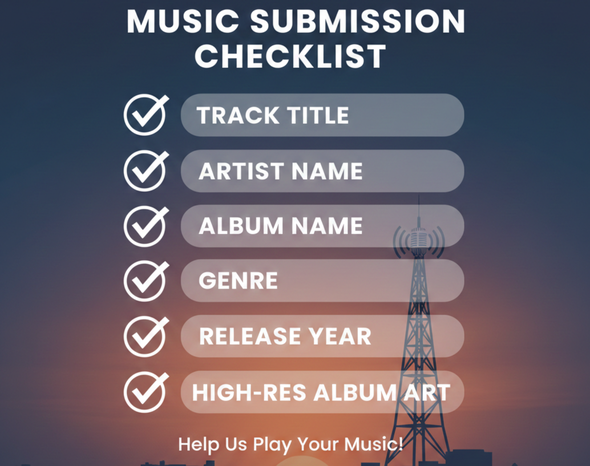
Before you submit, ensure your audio file (MP3 or WAV) includes the following:
-
Track Title: The actual name of the song.
-
Artist Name: Your stage name or band name.
-
Album Name: Even if it’s a single, use the single title.
-
Genre: This helps our DJs find your music for specific themed shows.
-
Year: Crucial for our archives and “best of” countdowns.
-
Album Artwork: High-resolution art makes your track look professional on our digital stream and website.
The Professional Edge
Properly tagged music doesn’t just help us; it helps you.
-
Listener Connection: When a listener hears your song on Our Town Radio and looks at their screen, they need to see your name so they can find you on social media or Spotify.
-
First Impressions: Submitting a clean, tagged file shows us that you are professional and ready for the big leagues.
How to Tag Your Music
You don’t need expensive software to fix your tags. You can use:
-
MP3Tag (Free and powerful)
-
Apple Music/iTunes (Right-click > Get Info)
-
Audacity (Metadata editor pops up during export)
The Bottom Line: Help us help you. Take the extra 60 seconds to tag your tracks properly so we can spend more time getting your music on the air!
Ready to submit? Make sure those tags are locked in and send your latest tracks to our submission portal today.
AD
















Post comments (0)